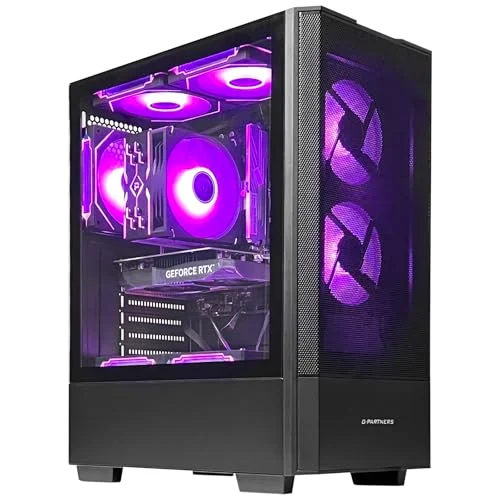
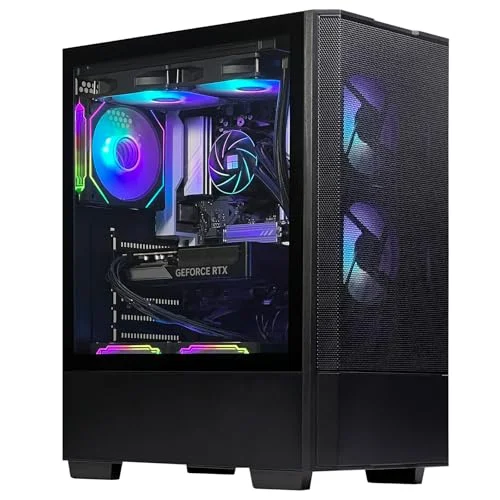
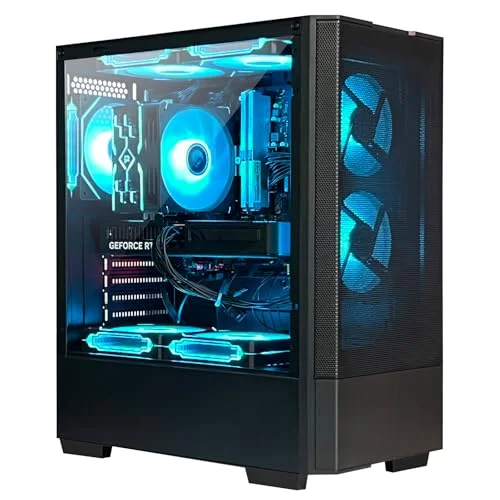
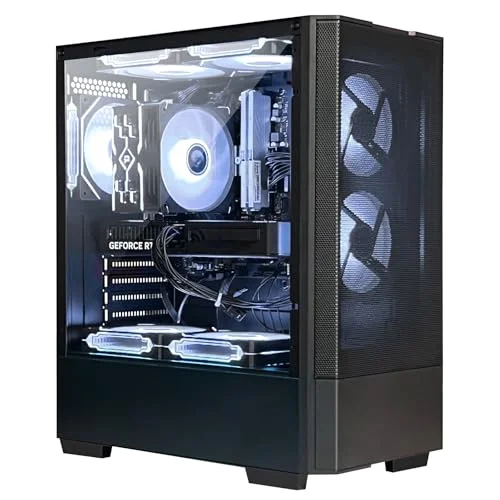
ZYNEEX prebuilt towers pair AMD Ryzen or Intel Core processors with RTX graphics, ARGB cooling and NVMe storage — unboxed, plugged in, and gaming in minutes, with Windows 11 Home already installed.
ZYNEEX builds prebuilt gaming desktops so you don't have to source parts, worry about compatibility, or spend a weekend cable-managing a case. Every configuration pairs a current-generation AMD or Intel processor with a dedicated RTX graphics card, ships with a 1TB NVMe SSD and ARGB cooling already installed, and arrives with Windows 11 Home ready to configure on first boot. From the entry-level Ryzen 5 5500 build up to the 8-core Ryzen 7 configuration, the lineup covers 1080p esports through 1440p ray-traced gaming in one place.
Why ZYNEEX
What Every Build Includes
The essentials are standard across the whole lineup — only the CPU, GPU tier and cooling method change between configurations.
01
Plug-and-Play Windows 11
Every tower ships with Windows 11 Home pre-installed — connect a monitor and peripherals, power on, and finish the guided setup in minutes.
02
ARGB Cooling Built In
Every configuration includes ARGB fans and a lighting controller, from air cooling on the entry build up to a 240mm liquid loop on the higher-end model.
03
NVMe-Speed Storage
A 1TB NVMe SSD comes standard across the whole lineup, so boots and load times stay fast no matter which configuration you pick.
04
AMD & Intel Options
Three AMD configurations at different price-to-performance points, plus one Intel-based build for gamers who prefer that platform.
05
Upgrade-Friendly Builds
Standard ATX components throughout — if you outgrow a configuration later, the GPU, RAM and storage are all straightforward to swap or add to.
06
1-Year Warranty & Direct Support
Every ZYNEEX desktop is backed by a 1-year warranty, with the seller's technical team reachable directly for setup or troubleshooting help.
The Lineup
4 Configurations, Two Platforms
Three AMD builds at different price-to-performance points, plus one Intel-based alternative — all sharing the same NVMe storage, ARGB cooling and Windows 11 Home setup.
AMD Gaming Desktops
Three AMD-based configurations covering three different price-to-performance points — from the entry-level RTX 3050 build up to 8-core Ryzen 7 performance.
ZYNEEX R5 5500 | RTX 3050
The Entry-Point Build
★★★★★ 4.6★ · 58 reviews†
Best for 1080p esports & everyday gaming
The flagship ZYNEEX build: a Ryzen 5 5500 six-core processor paired with an RTX 3050 6GB for smooth 1080p frame rates with ray tracing on, plus 16GB of DDR4 memory and a 1TB NVMe SSD so games load in seconds instead of minutes.
CPU: AMD Ryzen 5 5500, 6-core / 12-thread, up to 4.2GHz — handles current AAA titles and everyday multitasking without breaking a sweat
Graphics: GeForce RTX 3050 6GB GDDR6 for high-frame-rate 1080p gaming with ray tracing support
Memory & Storage: 16GB DDR4 3200MHz RAM plus a 1TB NVMe SSD for fast boots, quick loads and room for a real game library
Cooling: ARGB air cooling across multiple case fans keeps thermals in check during long sessions, with quiet running under sustained load
Ready Out of the Box: Built-in Wi-Fi plus HDMI and DisplayPort outputs — connect a monitor and peripherals and it is ready to play
Built around AMD's newer Ryzen 5 9600X and an RTX 5060 8GB, this configuration is the step up for players who want higher settings and DLSS4-assisted ray tracing at 1080p and 1440p, backed by 32GB of DDR5 memory for streaming and multitasking on top of gaming.
CPU: AMD Ryzen 5 9600X 3.7GHz for high frame rates in current AAA titles like Cyberpunk 2077 and Call of Duty
Graphics: GeForce RTX 5060 8GB GDDR6 with ray tracing and DLSS4 support for sharper visuals at 1080p and 1440p
Memory & Storage: 32GB DDR5 6000MHz RAM and a 1TB NVMe SSD — enough headroom to game, stream and run Discord and a browser at once
Cooling: A 240mm liquid cooler plus 5 ARGB fans for sustained performance without thermal throttling during long sessions
Ready Out of the Box: Built-in Wi-Fi, customizable ARGB lighting, and a controller included for tuning the case lighting to match your setup
An 8-core Ryzen 7 5700X carries the heavier multitasking here — streaming, video editing and background-heavy workloads — while the RTX 5060 8GB keeps frame rates high in modern titles, all backed by 32GB of DDR4 memory.
CPU: AMD Ryzen 7 5700X, 8-core / 16-thread, for gaming alongside video editing, streaming or other CPU-heavy work
Graphics: GeForce RTX 5060 8GB GDDR6 for high-frame-rate 1080p/1440p gaming with ray tracing
Memory & Storage: 32GB DDR4 3200MHz RAM plus a 1TB NVMe SSD for fast load times and comfortable multitasking
Cooling: A Tianjifeng J8 ARGB quad-copper-pipe air cooler with 7 ARGB case fans and a lighting controller
Ready Out of the Box: Built-in Wi-Fi, multiple USB ports, HDMI and DisplayPort outputs for flexible monitor setups
One Intel-based configuration for gamers who specifically want a Core i5 platform, paired with the same RTX 5060 GPU found in the higher AMD builds.
ZYNEEX Core i5-14400F | RTX 5060
The Intel Alternative
★★★★☆ 3.8★ · 6 reviews
Best for gamers who prefer an Intel platform
The one Intel-based configuration in the ZYNEEX lineup: a Core i5-14400F paired with the same RTX 5060 8GB GPU and DLSS4 support, for players who specifically want an Intel platform without giving up graphics performance.
CPU: Intel Core i5-14400F for strong single-thread performance in games and everyday use
Graphics: GeForce RTX 5060 8GB GDDR6 with DLSS4 support for sharper upscaled visuals at 1080p and 1440p
Memory & Storage: 32GB DDR4 3200MHz RAM plus a 1TB NVMe SSD for fast loads and smooth multitasking
Cooling: A Tianjifeng J8 ARGB quad-copper-pipe air cooler with 7 ARGB case fans and a lighting controller
Ready Out of the Box: Built-in Wi-Fi, multiple USB ports, HDMI and DisplayPort outputs for flexible monitor setups
† Rating and review count shown for the AMD lineup reflect Amazon's shared rating pool across these three configurations, not an individually earned score per model.
Full Spec Comparison
Spec
R5 5500 | RTX 3050
R5 9600X | RTX 5060
R7 5700X | RTX 5060
Core i5-14400F | RTX 5060
CPU
AMD Ryzen 5 5500
AMD Ryzen 5 9600X
AMD Ryzen 7 5700X
Intel Core i5-14400F
Graphics Card
RTX 3050 6GB
RTX 5060 8GB
RTX 5060 8GB
RTX 5060 8GB
Memory
16GB DDR4 3200MHz
32GB DDR5 6000MHz
32GB DDR4 3200MHz
32GB DDR4 3200MHz
Storage
1TB NVMe SSD
1TB NVMe SSD
1TB NVMe SSD
1TB NVMe SSD
Power Supply
550W 80+ Bronze
550W 80+ Bronze
550W 80+ Bronze
550W 80+ Bronze
Cooling
ARGB air cooling
240mm liquid + 5 ARGB fans
Quad-pipe air + 7 ARGB fans
Quad-pipe air + 7 ARGB fans
Operating System
Windows 11 Home
Windows 11 Home
Windows 11 Home
Windows 11 Home
Rating
4.6★ (58)
4.6★ (58)
4.6★ (58)
3.8★ (6)
Getting Started
From Unboxing to First Match
Every ZYNEEX desktop follows the same setup — no separate manual required to get up and running.
01
Unbox everything
Take out the desktop tower, the printed manual, the included screwdriver, and the power cord.
02
Connect your monitor
Plug your monitor into the HDMI or DisplayPort output on the back of the tower.
03
Connect keyboard and mouse
Plug your keyboard, mouse, and any other USB peripherals into the available ports on the front or back panel.
04
Power it on
Connect the power cord and press the front power button to start the system for the first time.
05
Complete the Windows 11 setup
Follow the on-screen prompts — Windows 11 Home is pre-installed and configures itself automatically on first boot.
06
Connect to Wi-Fi
Built-in Wi-Fi is included on every model — connect to your network and check for GPU driver updates if prompted.
07
Tune the ARGB lighting
Use the included lighting controller to set the fan colors and effects to your preference.
08
Start playing
Install your games library through Steam or your platform of choice — the system is ready to go.
Questions
Frequently Asked Questions
Yes. Every configuration ships with Windows 11 Home pre-installed. On first boot you'll walk through Microsoft's guided setup, and the system configures itself automatically from there.
Yes. ZYNEEX sells the desktop tower itself — a monitor, keyboard, mouse, and any other peripherals are not included in the box and need to be connected separately.
The desktop tower, a printed user manual, a screwdriver for opening the case, and the power cord. Peripherals and a monitor cable are not included.
Yes. Every model includes ARGB fans and a lighting controller, so you can adjust color and effects to match the rest of your setup.
Contact ZYNEEX's support team directly with a description of the issue. They aim to get back to you with a resolution within 24 hours.
Send a short video showing the issue to the seller's support team. Their technicians typically respond within 24 hours with troubleshooting steps or a resolution.
Yes — these are standard ATX builds, so the GPU, RAM and storage can all be swapped or expanded. If you're not sure which parts are compatible, ZYNEEX's support team can advise before you buy anything.
Every configuration comes with a 1-year warranty, with support handled directly through the seller.
The RTX 3050 build targets smooth 1080p in most current esports and AAA titles. The three RTX 5060 configurations push further — comfortable 1080p and 1440p with ray tracing and DLSS4 upscaling turned on.
The AMD Ryzen 5 5500 build is the entry point. The Ryzen 5 9600X and Ryzen 7 5700X step up to an RTX 5060 GPU with more memory. The Core i5-14400F configuration pairs that same RTX 5060 with an Intel CPU instead, for gamers who prefer that platform.